
The app
See the work.
Before the workout.
VADIS Training mixes strength and cardio into a single workout from your gym setup and time, times it, and keeps your training records on your device. Here's what each part does.
In development for iPhone.
Choose
Start from
what you have.
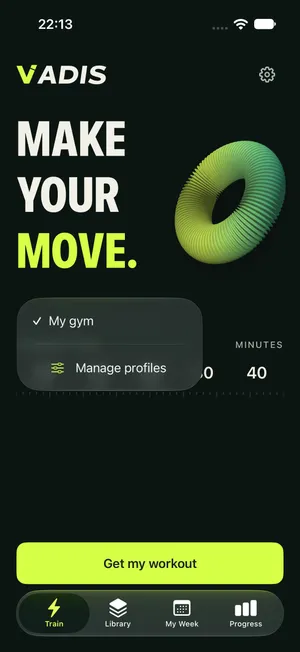
Pick your active gym from the My gym selector, set the time you have on the ruler, and tap Get my workout. Manage saved equipment profiles and movement exclusions whenever you need.
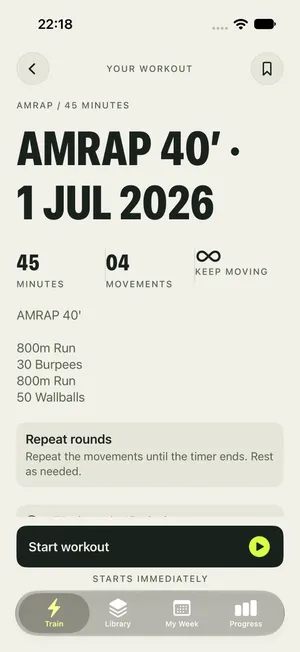
The app picks a suitable format for your time — there's no format to choose. The workout detail separates the exact main timer from an estimated whole-visit total, so neither is overstated. These tools are free.
Train
Preview,
then go.
Review the movements and doses, then start. Pause and resume whenever you need, and finish when you're done. Completed, capped, and partial results are saved as what actually happened.
The app chooses the format — as-many-rounds, minute-by-minute, or for time — and explains it. No automatic rep counting, GPS, or watch execution: the timer runs on your phone.
Your week
Plans you
can move.
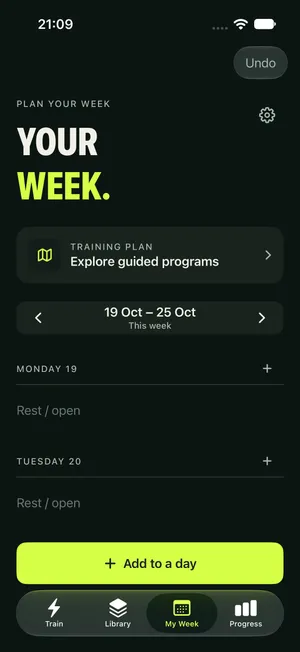
Arrange planned sessions yourself and move or skip them as the week changes — moving planned work never rewrites your history. Log the runs, classes, and coached sessions you do by hand; intensity is never guessed from a name.
Your record
See what's next
and what you did.
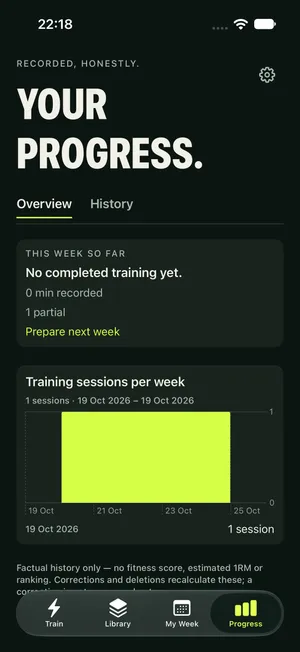
Your history lives in Progress — saved results, logged activity, and this week at a glance. Compare like-for-like results, and export or restore a backup from Settings. Owning a purchase is separate from owning your data — see Backup and restore.
For iPhone · iOS 18.0+. iPhone only in this build.
In development for iPhone.